
Software & automation
Less busywork.
Better systems.
Connect your tools, simplify repetitive work and build software around the way your business operates.
Start with one workflow that needs to work better.
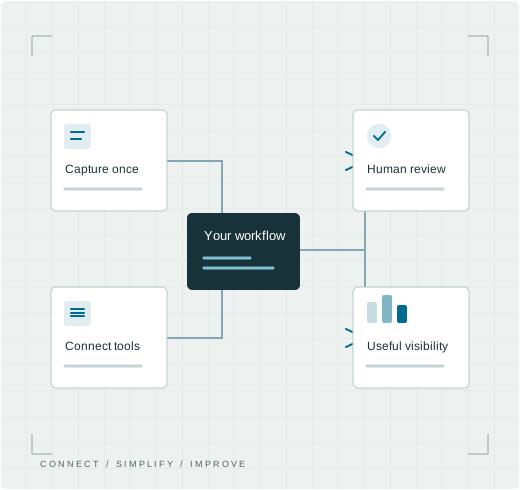
Make work flow better. Understand the process before automating it.
Connect
Simplify
Build
Find your starting point
Where does the
work slow down?
A useful improvement starts with a specific problem. Bring the steps, the tools and the exceptions your team deals with.
01
The same information, again
Your team copies details between forms, spreadsheets and business tools. A clearer connection could remove repeated steps.
02
Work waiting for a handover
Approvals, follow-ups or status updates rely on someone remembering. Make responsibilities and the next step visible.
03
A process your tools don’t fit
You need a portal, internal application or reporting view that reflects how your business actually works.
What we can build
Useful connections.
Purposeful software.
Sometimes the right answer is a setting in a tool you already own. Sometimes it’s an integration or a small custom application. We help define the simplest suitable route.
01
Business web applications
Internal tools, customer portals and operational systems, with the roles and permissions your workflow needs.
02
Connected tools & APIs
Connect suitable websites, CRM systems and other business tools. Check API access, data quality and platform limits first.
03
Workflow automation
Route enquiries, prepare follow-ups, request approvals and move agreed data between systems—with exceptions kept visible.
04
Reporting & dashboards
Bring agreed data into useful views so your team can see status, follow up on outstanding work and make decisions.
05
AI-assisted workflows
Explore document handling, drafting or classification where appropriate. Agree data handling, evaluation and human review before use.
06
Existing software improvements
Review an application or integration you already rely on. Scope fixes, clearer interfaces and a manageable handover.
An illustrative workflow
From enquiry
to a clear next step.
For example, a new enquiry could create a CRM record and a task for the right person. Your team reviews it before deciding what to send or do next.
This is a possible workflow, not a client result. The tools, rules and integrations are agreed for your business.
01
Capture once
Collect the agreed details and check required information.
02
Connect & assign
Create or update the right record without duplicating it. Assign an owner.
03
Review & follow up
Give your team visibility of exceptions and keep a person responsible for the next action.
Selected work
A connected workflow
in practice.
Software & workflow automation
Settlyd
Connected workflows for complex case information.
Product design direction, strategic solutions design and program management for a specialised business application.
How we approach it
Start small.
Prove it works.
Agree one useful outcome before expanding. The plan includes how the system will be operated, monitored and supported.
01
Map the real workflow
Understand users, inputs, decisions and exceptions. Identify what should stay manual.
02
Agree a focused first phase
Define scope, access, third-party costs and success measures. Prototype the important screens or steps.
03
Build & test the exceptions
Check permissions, incorrect inputs, duplicate events, failed connections and recovery—not only the expected path.
04
Hand over & improve
Document ownership and support. Review time spent, rework and failure patterns before choosing the next improvement.
Scope & ongoing costs
Clear responsibilities.
Fewer surprises.
Development is quoted around the agreed workflow, complexity and integrations. Hosting, platform subscriptions, API usage and ongoing care are identified separately.
Agree these before you build
Data & access
Which information is needed, who can access it and how credentials are managed.
Failures & oversight
How failed steps are noticed, retried or handed to a person.
Ownership & maintenance
Code, accounts, documentation, backups and responsibility when a connected service changes.
Not ready to define a build? Start with technology consultancy.
Before we begin
A few useful answers.
Do we need custom software, or can we use an existing tool?
We first look at your process and existing tools. A configuration change or supported integration may be enough. Custom software makes sense when the requirements and ongoing ownership justify it.
Can you connect the systems we already use?
We check the products, API access, account permissions and available documentation first. Some connections depend on a paid plan, a third-party provider or limits outside our control.
Can AI be part of the solution?
Yes, when it fits the task. We agree suitable data, representative test cases, output checks and human oversight. AI can produce incorrect results, so an important action needs an appropriate review and recovery path.
What happens if an automation fails?
Failure handling is part of the scope: logs, alerts, duplicate protection, retry rules and manual fallback where appropriate. Monitoring responsibilities and support hours must also be agreed.
How do we know the work is worthwhile?
Set a baseline for the workflow first. Compare completion time, correction work, exceptions and the outcome that matters to the business. More automated activity alone does not prove the process improved.
Before you automate
Choose a useful first step.
A practical guide to choosing a workflow, comparing your options and deciding what to measure.
What would you like to make easier?
Tell us how the work happens today, which tools you use and where time or information gets lost. Please leave out passwords and sensitive customer data.